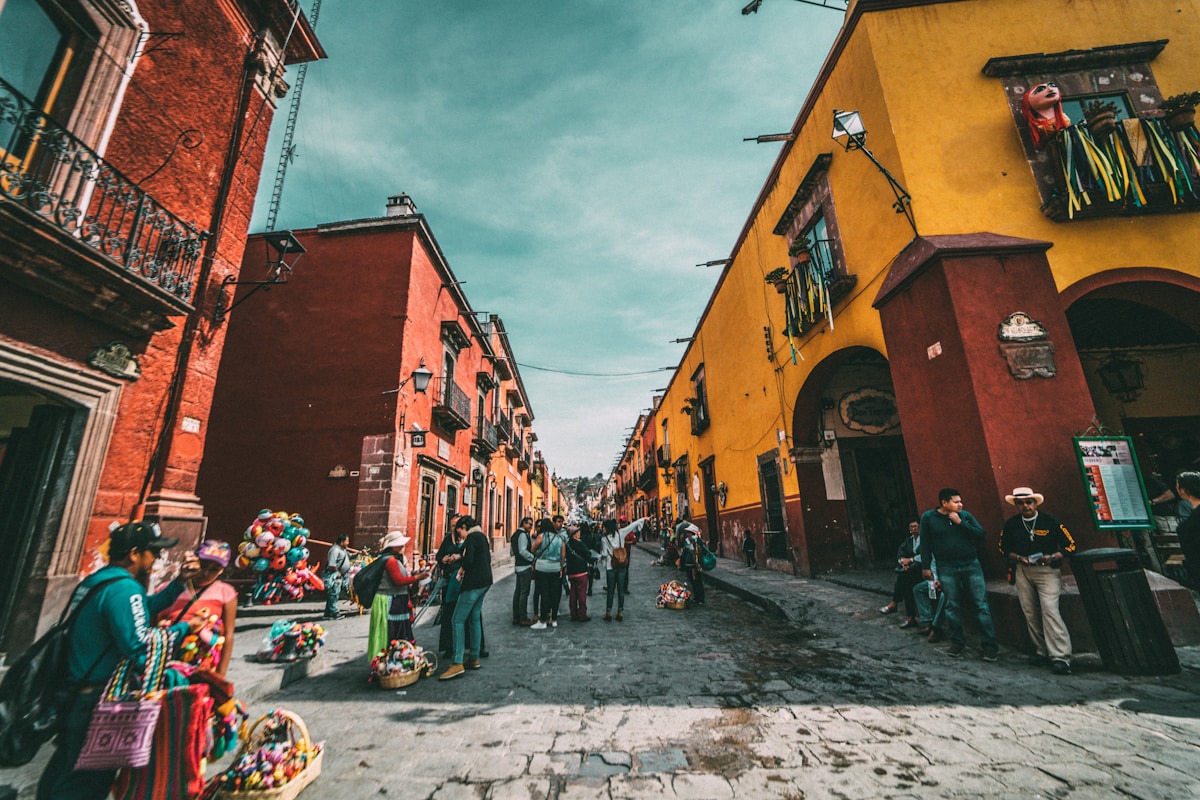
Los Cabos delivers 100-300 Mbps fiber internet, coworking spaces from $150 per month, and a timezone that syncs perfectly with every US office. I run multiple businesses from here, and my productivity has never been higher.
Key Takeaways
- ✓ Fiber internet in San Jose del Cabo and Cabo San Lucas delivers 100-300 Mbps for $35-$60/month
- ✓ Los Cabos runs on MST (UTC-7) year-round -- same as Denver/Phoenix, 2-3 hours behind NYC
- ✓ Coworking memberships start at $150/month; day passes run $15-$20
- ✓ Starlink covers rural areas at 50-200 Mbps for ~$50/month
- ✓ US tourist permits allow 180-day stays; no Mexican work permit needed for remote US employment
- ✓ Over 35% of US knowledge workers now have permanent remote-work arrangements (Stanford WFH Research, 2025)
Thinking About Relocating Your Home Office to Cabo?
We help remote workers and entrepreneurs find the right property with reliable connectivity and the lifestyle to match. Let us show you what is available.
Schedule a Free Consultation1. Why Los Cabos Is a Top Remote Work Destination
I did not move to Cabo for the sunsets -- though they help. I moved because running businesses from here is actually easier than running them from the US. The timezone alignment is the killer advantage that nobody talks about enough.
Los Cabos sits in Mountain Standard Time (MST/UTC-7) year-round. Mexico eliminated daylight saving time in 2022, so the clock never changes. From November through March, you are on the same time as Denver and Phoenix. From March through November, you align with Los Angeles. Either way, you have full overlap with US West Coast business hours and a workable 2-3 hour offset from New York.
Compare that to Bali (15 hours off), Lisbon (7-8 hours off), or even Costa Rica (no fiber outside San Jose). Cabo gives you the exotic lifestyle without the scheduling gymnastics. According to Stanford's WFH Research group, over 35% of US knowledge workers now have permanent remote arrangements -- and a growing share are exercising that flexibility internationally.
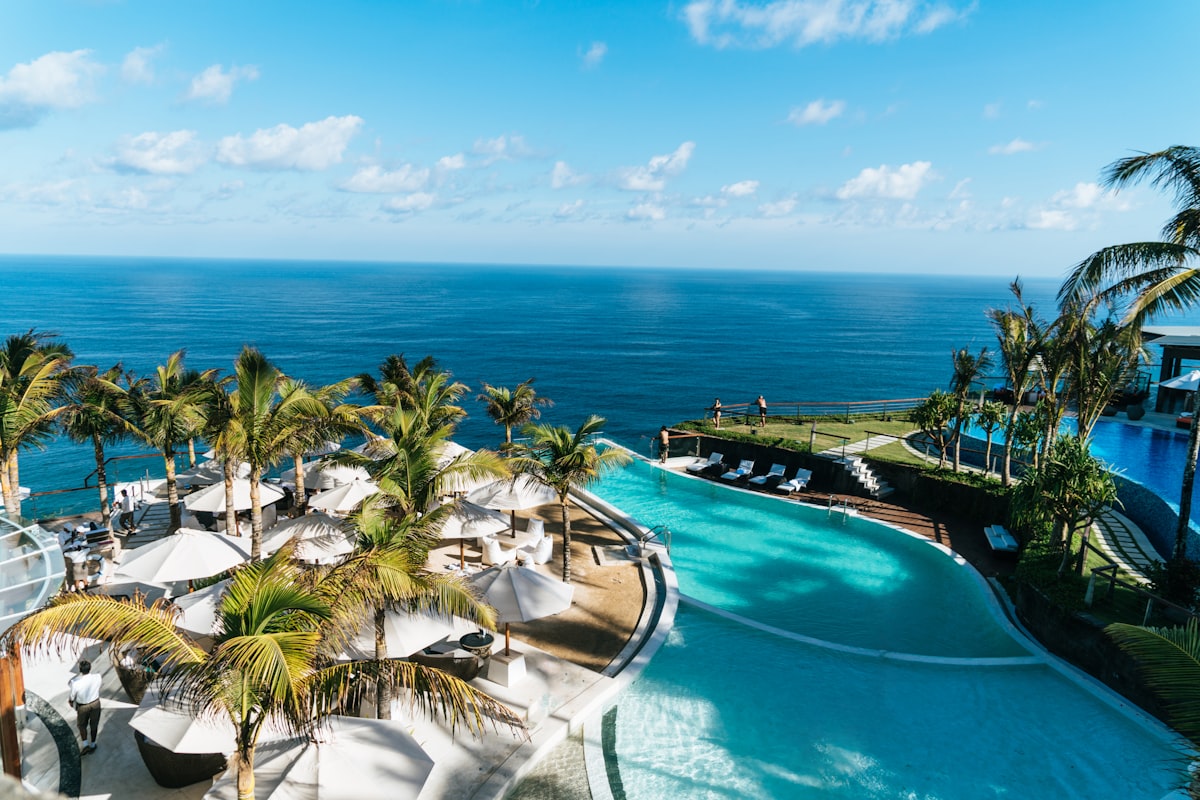
The numbers tell the story. Los Cabos International Airport (SJD) handled over 6.2 million passengers in 2025, with nonstop service from 40+ US and Canadian cities. You can fly home in 2-3 hours from most West Coast hubs. That accessibility means clients and colleagues can visit, and you can be back in the US for a meeting within a day. For more on flight routes and connectivity, see our nonstop flights guide.
2. Internet Providers and Speeds by Area
This is the question I get asked more than any other: "Is the internet actually good enough?" Short answer: yes. Long answer: it depends on where you live.
Fiber Providers
Two providers dominate the fiber market in Los Cabos:
- Telmex Infinitum: Mexico's largest ISP, offering fiber plans from 100 to 200 Mbps for $35-$50 USD/month. Coverage is strongest in downtown San Jose del Cabo, Fonatur, and established Cabo San Lucas neighborhoods.
- TotalPlay: Offers speeds up to 500 Mbps on fiber, starting at $45-$60 USD/month. Expanding rapidly in Los Cabos, with the best coverage in newer developments and urban cores.
My home office in San Jose del Cabo gets 200 Mbps on TotalPlay fiber. I pay about $50 USD per month. That is faster than what most of my coaching clients get in suburban US cities, and it costs a third of what Comcast charges for equivalent speeds.
Speeds by Neighborhood
- Downtown San Jose del Cabo / Fonatur: 100-300 Mbps (fiber widely available)
- Cabo San Lucas downtown / Marina: 100-200 Mbps (fiber available in most buildings)
- The Corridor (Palmilla, Cabo Real): 50-150 Mbps (fiber expanding, some areas still DSL)
- El Tezal: 50-100 Mbps (mixed fiber and DSL)
- Todos Santos / El Pescadero: 20-50 Mbps (DSL primary, Starlink recommended)
- East Cape (Los Barriles, Zacatitos): 10-30 Mbps (DSL/microwave, Starlink essential)
Starlink: The Rural Game-Changer
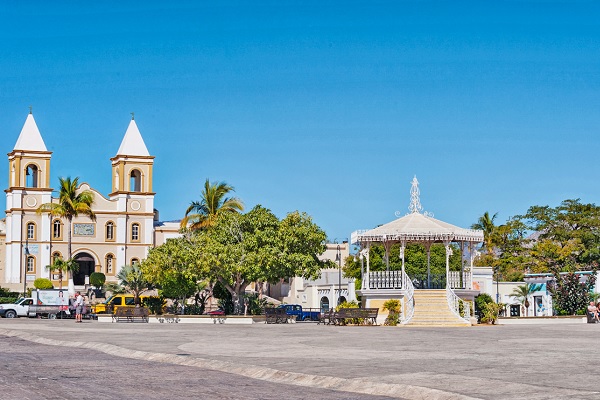
Starlink changed the equation for rural Baja. I have friends in Todos Santos and El Pescadero who struggled with 10 Mbps DSL connections for years. Now they pull 50-200 Mbps on Starlink for about $50 USD per month after the $499 hardware kit.
Latency runs 25-60 milliseconds -- perfectly fine for Zoom calls and VoIP. It is not as consistent as fiber (satellite weather can cause brief drops), but as a primary connection in rural areas or a backup in urban ones, Starlink is a reliable option. The Starlink availability map shows full coverage across Baja California Sur.
3. Coworking Spaces and Cafes
I have done Zoom calls from poolside, from coffee shops in the Art District, and from the rooftop of Colony Cowork overlooking the Sierra de la Laguna mountains. Each setting has its purpose -- and I have logged enough hours in all of them to give honest recommendations.
Dedicated Coworking Spaces
- Colony Cowork (San Jose del Cabo): The anchor coworking space in Los Cabos. Located in the Fonatur district, it offers hot desks, dedicated desks, and private offices. Day passes run $15-$20, monthly memberships $150-$250 USD. Reliable 100+ Mbps wifi, air conditioning, meeting rooms, and a community of remote professionals. This is where I take important calls.
- Digital Nomad Cabo (Cabo San Lucas): Near the marina district, oriented toward shorter-stay digital nomads. Flexible hourly and daily rates. Good wifi and a younger, more transient community.
- Baja Cowork (San Jose del Cabo Art District): A quieter space popular with writers, designers, and creatives. Located in the Art District, walking distance from galleries and restaurants.
Coworking Cost Comparison
| Expense | Los Cabos | US Major City |
|---|---|---|
| Monthly coworking membership | $150-$250 | $300-$600 |
| Day pass | $15-$20 | $30-$50 |
| Private office (monthly) | $400-$700 | $800-$2,000 |
| Coffee shop (per visit, drink included) | $3-$6 | $5-$10 |
| Home internet (fiber, monthly) | $35-$60 | $60-$100 |
For a deeper look at overall expenses, check our cost of living breakdown.
Find Your Ideal Remote Work Home Base
Whether you want a condo with fiber in San Jose or an oceanfront villa with Starlink in the East Cape, we match remote workers with properties built for productivity.
Book a Call4. The Timezone Advantage in Practice
Here is what my typical workday looks like from San Jose del Cabo:
- 6:00 AM: Gym or surf session before the heat
- 8:00 AM MST: First calls with West Coast clients (8 AM their time)
- 10:00 AM MST: East Coast clients are wrapping their mornings (1 PM ET)
- 12:00 PM: Lunch break -- walk to the Art District, swim, or eat at a beachside restaurant
- 1:00 - 4:00 PM: Deep work block, follow-ups, content creation
- 5:00 PM: Done. Sunset from the terrace with a mezcal.
The key insight: because Cabo aligns with US working hours, you never have the "I can't take that call" problem that plagues remote workers in Southeast Asia or Europe. I have coached clients in all 50 states from this office without a single timezone conflict.

5. Visa and Legal Requirements for Remote Workers
US and Canadian citizens enter Mexico visa-free with an FMM tourist permit, valid for up to 180 days. You receive it at immigration upon arrival. Working remotely for a foreign (non-Mexican) employer does not require a Mexican work permit -- your income is sourced from outside the country.
For stays beyond 180 days, you need a Temporary Resident Visa. This is a straightforward application through your nearest Mexican consulate, requiring proof of income (approximately $2,500+ USD per month) or savings. The visa is valid for 1-4 years and allows unlimited entry and exit.
Tax Considerations
This is where it gets important -- and where you need professional advice, not blog posts. The fundamentals:
- US citizens: You file US taxes on worldwide income regardless of where you live. The Foreign Earned Income Exclusion (FEIE) can exclude up to $130,000 (2026) if you qualify, but remote workers employed by US companies often do not meet the requirements.
- 183-day rule: Spending more than 183 days in Mexico in a calendar year may establish Mexican tax residency. This does not mean you automatically owe Mexican taxes if your income is US-sourced, but it triggers reporting obligations.
- FATCA: US citizens must report foreign bank accounts exceeding $10,000 in aggregate via FBAR filings. The IRS FATCA page outlines the requirements.
Bottom line: hire a cross-border CPA before your first full calendar year in Mexico. The cost ($500-$1,500 for annual preparation) is trivial compared to the penalties for non-compliance. For more on setting up banking and financial infrastructure, see our post-closing checklist.
6. Cellular Data and Mobile Connectivity
Your US cell phone will work in Los Cabos. Most major carriers -- T-Mobile, AT&T, and Verizon -- include Mexico in their international roaming packages at no additional cost. I use T-Mobile and get full LTE speeds throughout the Cabo corridor.
For longer stays, a local SIM card makes sense:
- Telcel: Mexico's largest carrier with the best coverage in Baja. Prepaid plans run $15-$30 USD per month for 10-20 GB of data. Coverage extends to rural areas where other carriers drop off.
- AT&T Mexico: Solid urban coverage and competitive prepaid plans. Slightly less reliable in rural Baja compared to Telcel.
Pro tip: keep your US SIM for calls and texts, and use a local SIM in a second device (or a dual-SIM phone) for data. This gives you the best of both worlds -- US number availability plus fast, cheap local data.
7. Best Neighborhoods for Remote Workers
Not every part of Los Cabos is equally suited for remote work. Here is my honest ranking based on connectivity, convenience, and quality of life:
Tier 1: Best Infrastructure
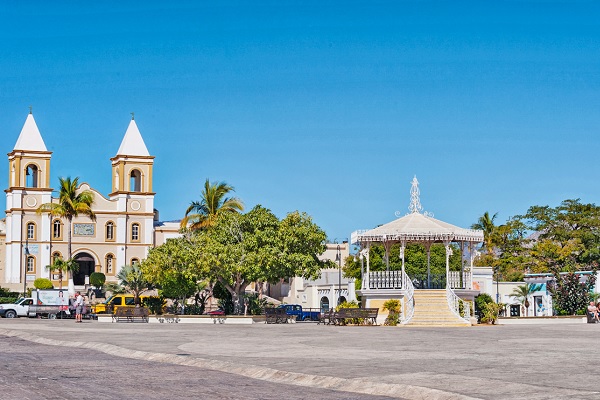
- San Jose del Cabo (Downtown/Fonatur): Fiber everywhere, walking distance to coworking and restaurants, vibrant Art District nightlife, and a quieter pace than Cabo San Lucas. This is where I live and where most long-term remote workers settle.
- Cabo San Lucas (Downtown/Marina): Similar fiber speeds, more nightlife and entertainment options, better for extroverts and younger remote workers.
Tier 2: Great Lifestyle, Good Connectivity
- Palmilla: Luxury Corridor living with improving fiber coverage. Perfect for remote executives who want resort-quality amenities and can afford the premium.
- El Tezal: Affordable, central, and increasingly well-connected. Popular with younger professionals and families.
Tier 3: Lifestyle-First (Starlink Required)
- Todos Santos: Surf culture, art scene, bohemian vibe. Limited fiber but Starlink works well. Ideal for creative professionals on flexible schedules.
- El Pescadero: Beach town living at a fraction of Cabo prices. Starlink is essential. Best for freelancers who value isolation and nature over nightlife.
8. Zoom Call Quality and Productivity Tips
After three years of daily video calls from Cabo, here is what I have learned the hard way:
- Hardwire when it counts. Wifi is fine for casual browsing, but plug in an ethernet cable for important client calls. A $15 USB-C to ethernet adapter eliminates the variable.
- Run a backup connection. I keep Starlink as my secondary and hotspot my Telcel phone as a third option. In two years, I have had exactly one call drop -- and it was AT&T's fault on the other end.
- Test your upload speed. Download gets the headlines, but upload matters for video. You want at least 10 Mbps upload for reliable HD video. Fiber delivers 50-100 Mbps upload; Starlink averages 10-20 Mbps.
- Time your updates. Schedule system and software updates for after hours. Nothing kills a 9 AM presentation like Windows deciding it needs 45 minutes to install patches.
- Invest in lighting. The Cabo sun is incredible but brutal on camera. A simple ring light ($30) eliminates the backlit silhouette problem when your desk faces a window.
For those making the full move and needing to set up utilities, our relocation guide covers the complete process from packing to plugging in.
9. From Vacation to Home Base: Making the Transition
Most remote workers I know followed the same path: vacation in Cabo, work from the hotel for a few days, realize it works, come back for a month, then start looking at property. According to the Mexican National Statistics Institute (INEGI), the foreign resident population in Baja California Sur grew 23% between 2020 and 2025, driven largely by remote workers and digital nomads.
The practical steps:
- Test run: Rent an Airbnb with fiber internet for 2-4 weeks in your target neighborhood. Work your normal schedule.
- Cost analysis: Factor in savings on commuting, office space, and the general cost of living reduction (30-50% vs major US cities).
- Explore communities: Visit San Jose del Cabo and Cabo San Lucas side by side -- they are different worlds despite being 30 minutes apart.
- Talk to us: We have helped dozens of remote workers find the right property. The priorities are different from vacation buyers -- you need reliable power, fiber access, and a dedicated workspace, not just a view.
Read our full expat guide for a comprehensive look at daily life in Los Cabos beyond the workday.

Ready to Make Los Cabos Your Home Office?
We specialize in matching remote workers with properties that combine reliable connectivity, dedicated workspaces, and the Los Cabos lifestyle. Tell us what you need.
Contact Us TodayFrequently Asked Questions
How fast is the internet in Los Cabos for remote work?+
Internet speeds in Los Cabos range from 100 to 300 Mbps on fiber connections in downtown San Jose del Cabo and Cabo San Lucas. Telmex Infinitum and TotalPlay offer fiber plans starting at $35 to $60 USD per month. Rural areas like Todos Santos and El Pescadero typically see 20 to 50 Mbps on DSL, though Starlink delivers 50 to 200 Mbps anywhere in Baja.
What timezone is Los Cabos and how does it align with US business hours?+
Los Cabos operates on Mountain Standard Time (MST/UTC-7) year-round. Mexico does not observe daylight saving time, so Cabo aligns with Denver and Phoenix from November through March, and with Los Angeles from March through November. This means full overlap with US West Coast hours and a manageable 2 to 3 hour offset from East Coast schedules.
What are the best coworking spaces in Los Cabos?+
Colony Cowork in San Jose del Cabo is the most established, offering day passes at $15 to $20 USD and monthly memberships from $150 to $250 USD. Digital Nomad Cabo near the marina offers flexible hot desks and private offices. Baja Cowork in the Art District has a quieter atmosphere favored by writers and designers. Several cafes including Acre Baja also welcome remote workers with strong wifi.
Do I need a visa to work remotely from Los Cabos?+
US and Canadian citizens can stay in Mexico visa-free for up to 180 days on an FMM tourist permit. If you plan to stay longer or want to establish residency, a Temporary Resident Visa is required. Working remotely for a US or Canadian employer does not require a Mexican work permit since your employer is foreign. However, stays exceeding 183 days in a calendar year may trigger Mexican tax residency obligations.
How much does Starlink cost in Los Cabos?+
Starlink residential service in Mexico costs approximately $50 USD per month with a one-time hardware kit fee of around $499 USD. Speeds range from 50 to 200 Mbps with latency of 25 to 60 milliseconds. It is particularly popular in rural areas like the East Cape, Todos Santos, and El Pescadero where fiber infrastructure has not yet reached.
Can I use my US cell phone plan in Los Cabos?+
Most major US carriers include Mexico roaming at no extra charge. T-Mobile and AT&T plans typically include unlimited talk, text, and data in Mexico. For longer stays, a local Telcel SIM card offers better data speeds and costs $15 to $30 USD per month for 10 to 20 GB. AT&T Mexico also operates in the region and offers competitive prepaid plans.
What are the tax implications of working remotely from Mexico?+
US citizens must file US taxes regardless of where they live or work. If you spend more than 183 days in Mexico in a calendar year, you may also become a Mexican tax resident and owe Mexican income tax. FATCA requires US citizens to report foreign bank accounts exceeding $10,000. Consult a cross-border tax professional before establishing a long-term presence.
Which neighborhoods in Los Cabos have the most reliable internet?+
Downtown San Jose del Cabo, Fonatur, and the Palmilla area have the most established fiber infrastructure with speeds of 100 to 300 Mbps. Cabo San Lucas downtown and the marina district are also well-served. El Tezal and the Corridor have improving coverage. Rural communities including parts of Todos Santos and the East Cape rely more on Starlink or DSL connections.

Aaron Cuha
Real Estate Advisor & Los Cabos Market Expert
Real estate advisor and founder of Living In Cabo. 15+ years helping families navigate complex real estate decisions. Strategic partner with Ronival — Baja's largest brokerage.